Voice-to-document for legal work
Record a hearing, meeting or dictation while Dicta creates a real-time AI transcript. Review names, speakers and wording, then create a File Note or Hearing document.
From recording to document
Record
Record an authorised hearing, meeting or dictation in your browser.
Review
Follow the transcript live, then correct names, speakers and wording.
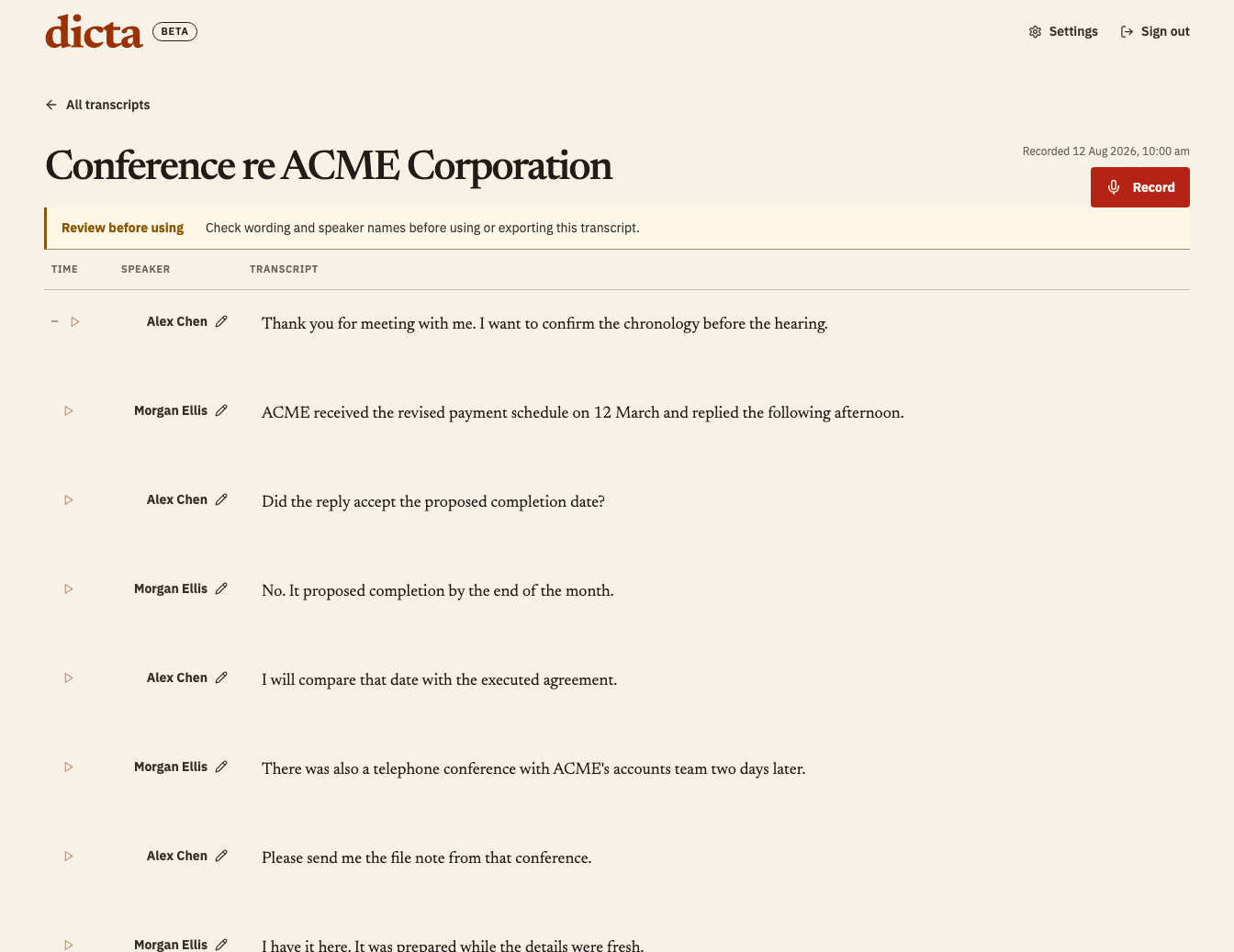
Create
Create a File Note or searchable, page-and-line Hearing draft from reviewed wording.
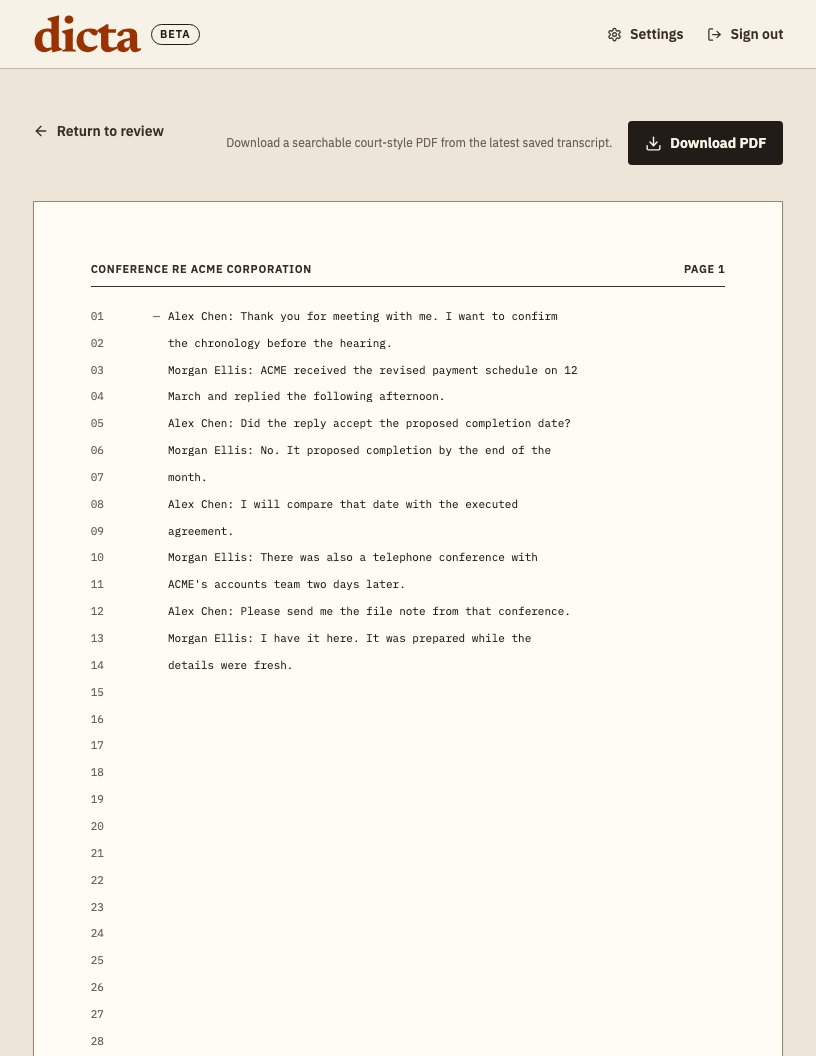
Export
Download the reviewed draft or send an available export to Google Drive or OneDrive.
- Download
- Google Drive
- OneDrive
Fictional example. Every output requires professional review.
Document outputs
Dicta separates what you can use now from the additional voice-to-document workflows planned for Pro.
Available now
File Note and Hearing
Create working drafts from a transcript you have reviewed.
Coming with Dicta Pro
More legal document types
Board Minutes, Witness Statements, Letters of Advice and Client Engagement.
Choose the workflow you need
See Dicta as an AI notetaker for lawyers, review the legal transcription workflow, or learn how legal dictation moves from speech to a working document.