Legal transcription you can review
Record a hearing, conference or meeting while Dicta creates a live transcript. Correct the transcript before you create a working legal document.
From recording to document
Record
Record an authorised hearing, conference, meeting or dictation in your browser.
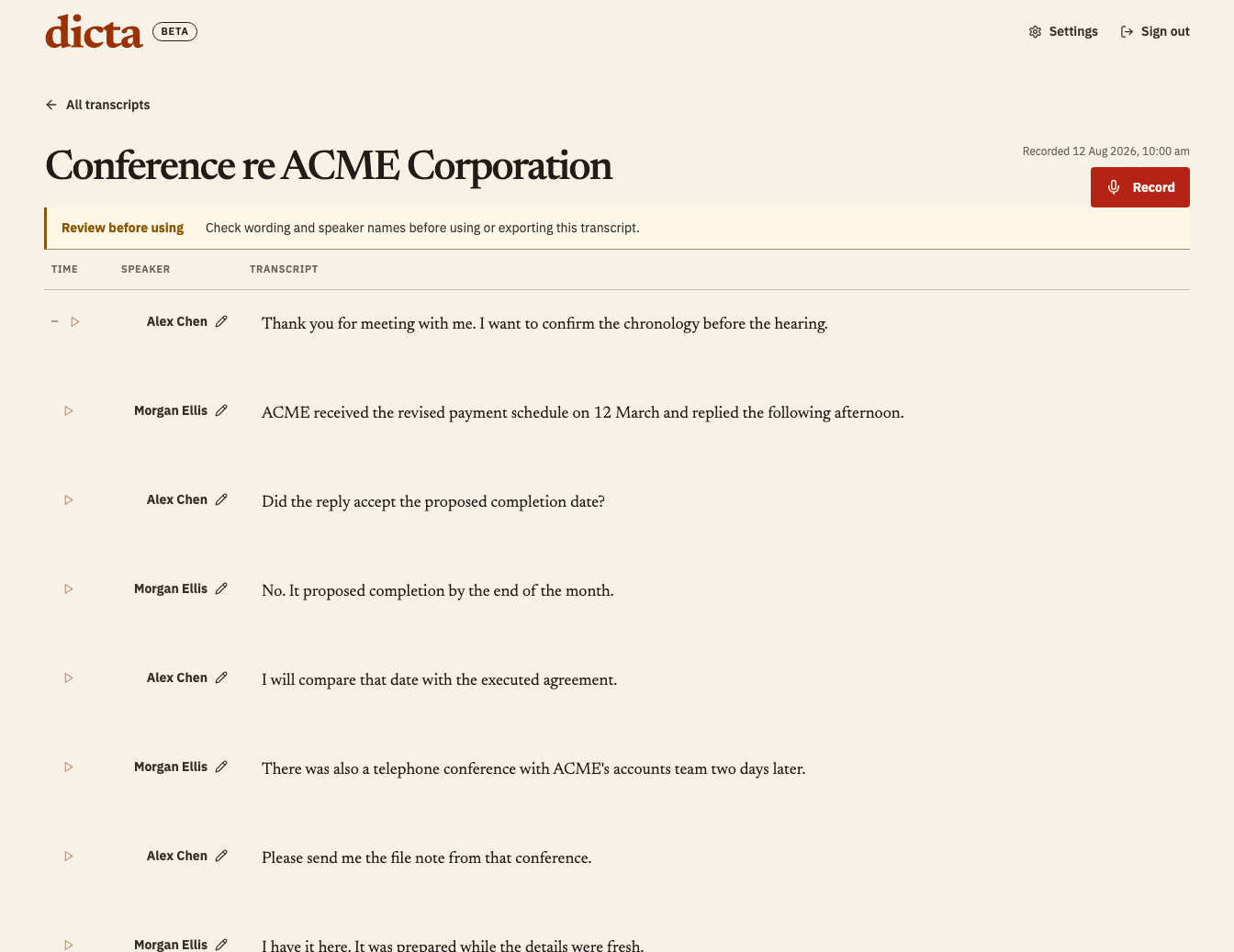
Review
Follow the transcript live, then correct speakers and wording.
Create
Create a File Note or searchable, page-and-line Hearing PDF from reviewed wording.
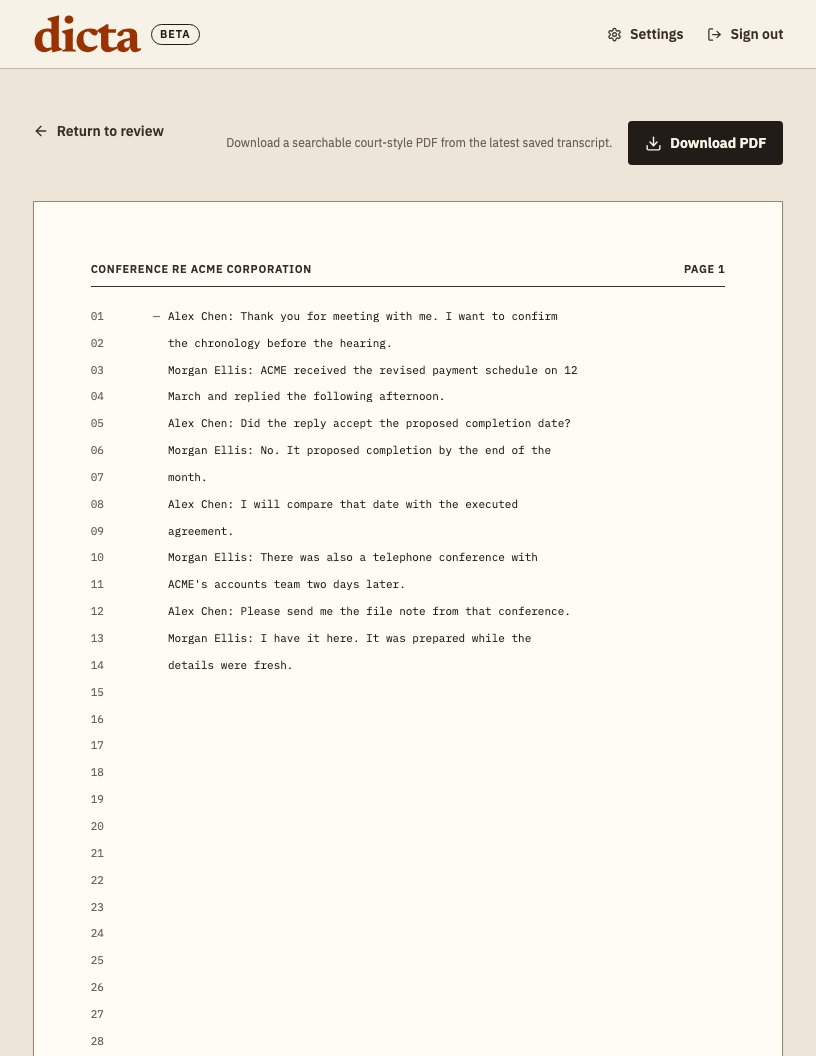
Export
Download the draft or send an available export to Google Drive or OneDrive.
- Download
- Google Drive
- OneDrive
Fictional example. Every output requires professional review.
Start with a working draft.
Don’t wait for a transcription service before you start reviewing. Dicta gives you a working draft straight away, without automatic overage charges. You can still send the recording and draft transcript for professional review while you keep working.
Real-time transcription for legal matters
Dicta shows transcript text while you record. Use it for authorised hearings, conferences, meetings or dictation where a live working transcript helps you stay with the conversation.
Speaker-labelled review
Review each turn after recording and correct speaker names or wording. Dicta keeps the reviewed transcript as the source for document creation.
File Note and Hearing outputs
Create a File Note or a searchable, page-and-line Hearing PDF from reviewed wording. Dicta produces working drafts, not official or certified court transcripts.
Clear retention and provider disclosures
Dicta schedules source audio and transcript text for deletion within 30 days. Read the data handling register to see which providers receive account, audio, transcript or export data.